A visitor searches for the service you sell. Your website has a page called “Solutions”. It opens with three paragraphs about your passion.
The visitor still does not know whether you can help.
Small business SEO starts with that mismatch. Search engine optimisation makes your content easier to discover and understand, but the page must also answer the person who arrives. Before you commission another batch of articles, inspect the pages closest to a useful customer decision.

Choose a search you have a right to answer
Write down the questions customers ask before buying. A mobile bike mechanic might hear “Do you come to my office?”, “Can you repair an e-bike?” and “What does a service include?” Those questions can reveal more useful content than a broad ambition to rank for “bikes”.
Look at the actual search results for a candidate phrase. Are they service pages, shops, tutorials, comparison articles or local listings? That is evidence of search intent: what the searcher is probably trying to accomplish.
Your content should serve that task. Someone seeking a repair appointment needs service area, scope and a booking route. Someone searching how to replace a tube needs instructions. Combining both into one vague page can leave both readers dissatisfied.
Keep a small keyword map: one main search topic per page, a few related questions and the action the page should support. Treat these as editorial choices until you have search data. Do not invent monthly search volumes because a spreadsheet looks unfinished.
Build three useful pages before thirty thin ones
For a fictional bike mechanic, the first set might be a service page describing repairs and coverage, a guide explaining what to check before booking and a page answering common questions about on-site visits.
Each page has a different job. The guide can link to the service when professional help is relevant. The service can link to the guide for someone who is not ready to book. Neither needs to repeat the other word for word.
This is an original planning example, not a claim about a particular business’s search results. The point is to organise around decisions customers really make.
Google’s people-first content guidance asks whether content is useful, trustworthy and created for an intended audience. An article that says everything already on the results page, only at greater length, has not necessarily added value.
Add the details you can responsibly provide: the limits of a service, a genuine process photo, a worked example, a checklist someone can use or a clear explanation of an awkward exception. Do not invent experience or customer results to make the page sound authoritative.
Make titles specific enough to earn the click
A search title should tell someone what the page offers. “Mobile bike repairs in Bristol” is clearer than “Welcome to our world”. Use the location only if it is genuinely relevant to the business.
Google advises descriptive, concise titles and warns against repeated keyword variations. It can generate a different title link when the page’s signals suggest a better description. There is no universal character count that guarantees your full title will display. See Google’s title guidance.
Write a distinct meta description too. For the fictional service: “Book an on-site bike repair at home or work in Bristol. See service coverage, what is included and how to prepare your bike.” This is a promise the page must then fulfil.
Google’s snippet guidance explains that snippets can come from page content or the meta description. You are providing a useful summary, not controlling every search result word for word.
Use headings that answer the next question
Replace a vague heading such as “Our approach” with something concrete when that is what the section explains: “What happens during an on-site repair”. Follow it with the answer, not another introduction.
A reader scanning on a phone should be able to find price information, eligibility, timing and the next step without opening every paragraph. Use short sections where the topic changes. Keep the main heading clearly distinct from subheadings.
A keyword belongs in a heading when it describes the section. Repeating “small business SEO” in every heading does not make this article more useful. The same applies to your service page.
Connect pages with descriptive links
Link to relevant pages using words that explain the destination. “See our on-site repair coverage” gives more context than three identical “click here” links.
Google’s link guidance covers crawlable links and descriptive anchor text. For a small site, a practical check is to start at the homepage and try to reach every important page through normal navigation. If you can find a page only by remembering its address, fix that route.
A link-in-bio page can help people move between your public work, shop, booking service and main website. It is not a substitute for a dedicated answer to every topic you want to rank for.
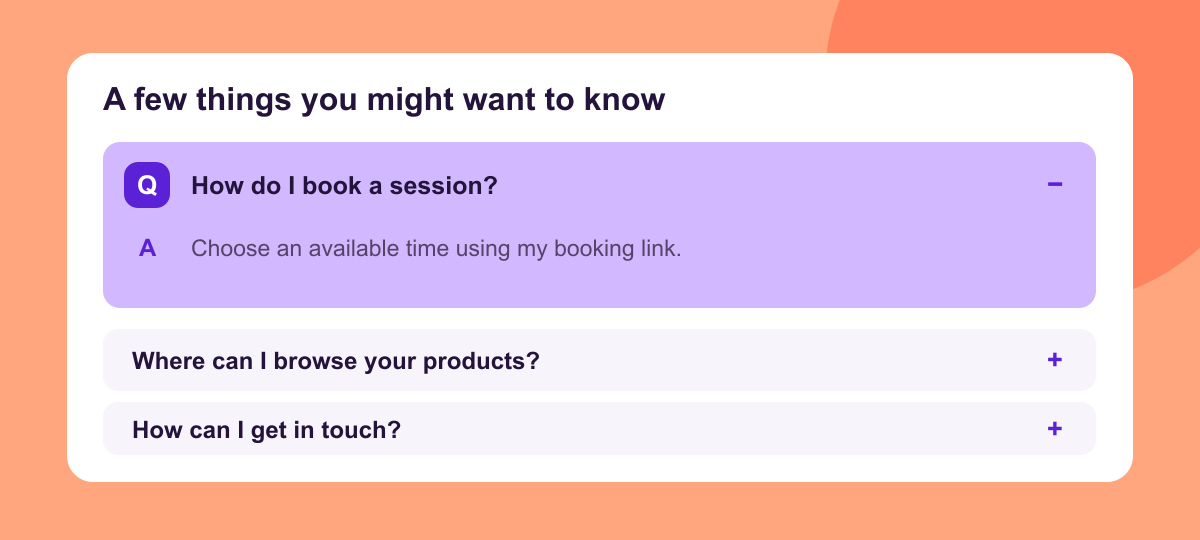
With RelayMe, ordinary links remain free. Use specific labels such as “Book a portrait session” or “Shop the spring collection”. Pro adds options including a custom FAQ and supported connectors. Explore the features and choose them for the visitor’s task, not as a ranking shortcut.
Check whether Google can reach the page
Before judging the writing, check the basics with your website tools or whoever maintains the site. The important page should be public, load successfully and show its main content without requiring a sign-in. Check for accidental indexing restrictions and an appropriate canonical URL where duplicate versions exist.
A sitemap tells search engines about URLs you want discovered. It does not guarantee indexing. Google’s sitemap overview is clear about that distinction.
Use Search Console for a site you control to inspect indexing and performance. A new page needs time to be discovered and assessed. Repeatedly submitting the same URL is not a strategy for making weak content rank.
Give images a job
Show something the text is trying to explain: the finished product, a genuine process, a labelled comparison or a useful screenshot. Write alt text that describes the relevant information. Avoid stuffing service names and locations into an image description.
Keep files appropriately sized so a phone user is not waiting for a large decorative image. Check the page on a narrow screen: text should fit, buttons should be usable and the main action should not be hidden by an overlay.
Good presentation makes the answer easier to use. It does not compensate for an answer that is missing.
A 30-day SEO plan with a realistic review
Days one to five: choose the customer question, inspect the search results and audit the page that should answer it. Record what is unclear or missing.
Days six to fifteen: improve the page’s answer, title, description, images and relevant links. Keep a dated note of the changes so you can connect later observations to actual work.
Days sixteen to twenty: check mobile use, indexability and Search Console. Resolve technical blockers before adding more content.
Days twenty-one to thirty: review impressions, clicks and the actions visitors take. Thirty days is a first review point, not a ranking deadline. A page with few impressions may need more time, better topic fit or stronger discovery. A page attracting clicks but no useful enquiries may have an offer or usability problem.
Start with one page you would be comfortable sending to a potential customer. Use RelayMe for a clear home for the next step, and keep your deeper search content on pages that answer specific questions properly.
Research reviewed 14 October 2026. Technical guidance checked against Google Search Central.